Here's how you can do that.
Easily capture customer thoughts...

Give customers an easy-to-use, branded hub to suggest ideas
.svg)
Idea posting is the heart of the portal where customers share feedback
Branded to signal legitimacy
SSO to ensure secure sharing
Forums to create focus and clear expectations for customers
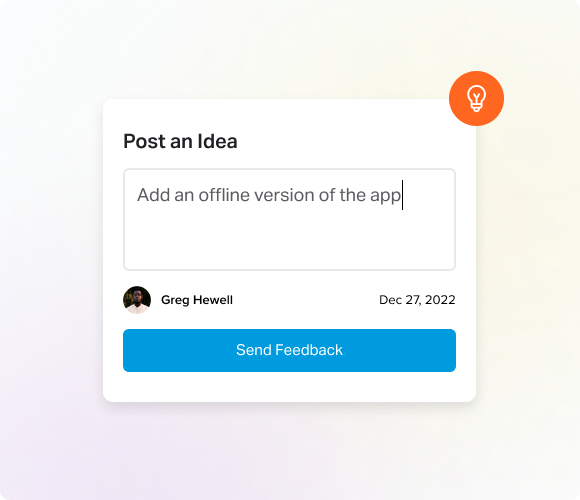
Let customers share ideas without leaving your product
In-app access to grab just-in-time feedback while customers are using your software
Instant matching avoids duplicating by guiding users to vote or comment on an existing idea
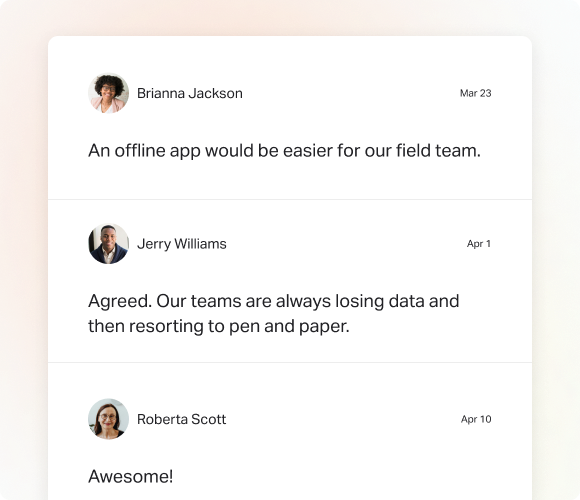
Invite customer voices into the conversation
Comment on ideas allows customers to add context or share details on their own or another's post
Comment on idea status lets customers share thoughts and ask questions related to statuses
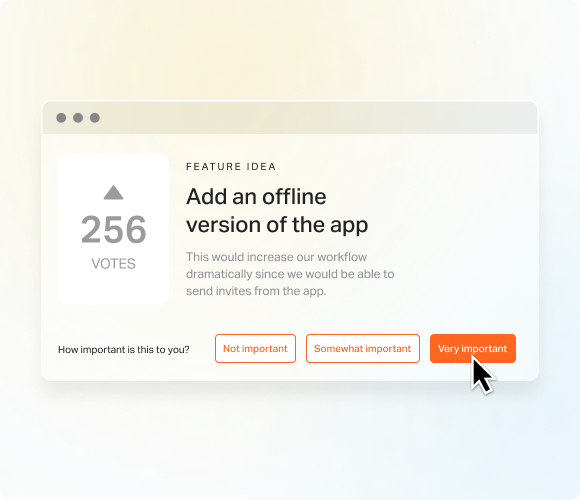
Hear urgency directly from customers
Rate all ideas (both their own and others) so they can clearly communicate preferences
Out-of-the-box rating labels help customers choose between not important, somewhat important, and very important
Custom labels let you tailor labels to match your internal language or branding
.png)
Let customer voices be heard across feedback
Vote on all ideas so customers feel assured
Voter fraud detection limits votes per hour so you know you're hearing real voices
...then turn raw feedback into clear priorities

Show customers exactly where their ideas stand
Set status from customized settings so progress is visible
Status messages explain what's happening and why
Subscribe lets voters know when status has changed so they know they've been heard
Public Roadmap
.png)
Give customers a clean, read-only view of what you’re working on
Public sharing with any customers in your forum
Hide data so sensitive account and user information isn't exposed
.png)
Automatic progress updates turns silence into steady outreach
Status change notifications help customers see progress
Subscriber messages give added context
Replies create a back-and-forth that builds trust
.png)
Proactive outreach and dialogue show you're keyed into customer needs
Custom research questions get their insights on new ideas
Send to non-forum users so you can build trust with more customers
.png)
Personal follow-up means nothing gets lost
Direct, in-app response on feedback so customers feel heard - and you don't have to switch between tools
One-to-one emails...
Customer replies turn feedback into ongoing, trust-building conversations


.svg)
.svg)
.svg)

.svg)

.svg)
.svg)

Get clear on what matters.
Turn scattered user data into meaningful customer intelligence, guiding smarter decisions and creating a better product.
Talk to an Expert Today


