rich, contextualized customer feedback.
Here's how you can do that.
Layer feedback with customer data...
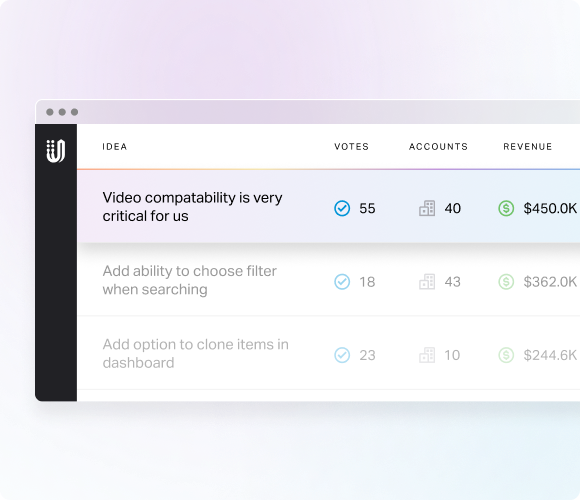
Quickly understand who an idea affects and how much it matters
.svg)
Voter count reflects how many votes an idea has
Account data shows how many - and which accounts - gave feedback on an idea
Revenue data reflects the ACV associated with an idea
Custom fields let your team analyze by variables that matter
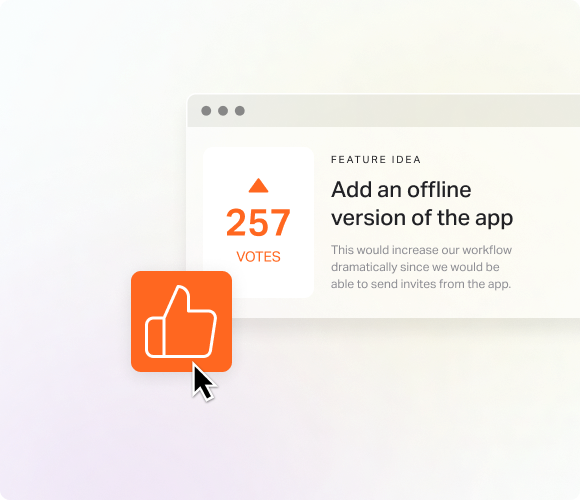
Let customers say how much an idea matters
Collect importance ratings from customers and internal contributors
Customize importance rating labels to match your team's workflow
Weighted average scores show which idea is most important

Automatically see if an idea should be prioritized
1-5 urgency scale helps you spot pain that needs attention now
Auto-score calculation based on sentiments in idea titles, descriptions, feedback, and comments helps you prioritize quickly
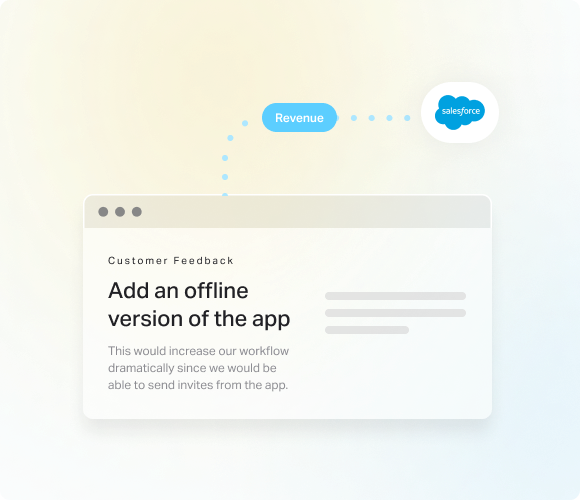
Turn your tech stack into a feedback funnel
Salesforce Data Connect lets you pull customer and account data into UserVoice and tie it directly to the feedback those customers give
API Access lets you programmatically send enriched customer data into UserVoice and connect feedback to your internal systems
Full Story Connect links behavioral session data to specific feedback submissions, so teams can watch real customer sessions that led to feedback
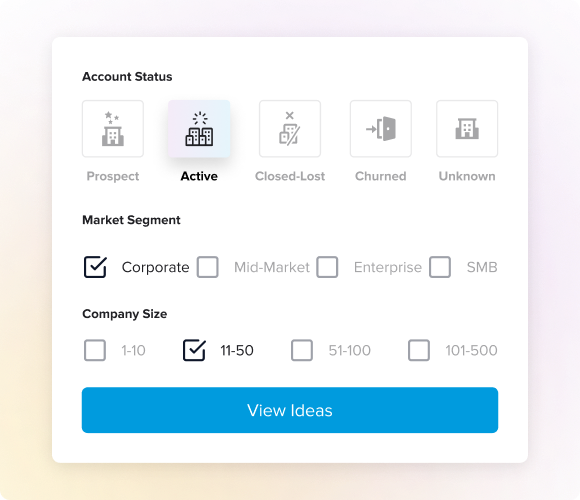
Filter idea supporters by traits that matter so you can target your highest-paying customers
Filter feedback by data points that matter most to your team
Build and save custom cohorts so you can track their feedback over time
Prioritize features based on cohort feedback to deliver what's most valuable to specific segments
... turn feedback into clear priorities.
.png)
Save a curated set of related ideas to help you decide what to build next
Add ideas to a list from the ideas grid so you know you're building from customer feedback
Share your list with team members so you can collaborate on what to prioritize
Build an Impact Report from your ideas list to quantify pain and business value
Custom fields let your team analyze by variables that matter
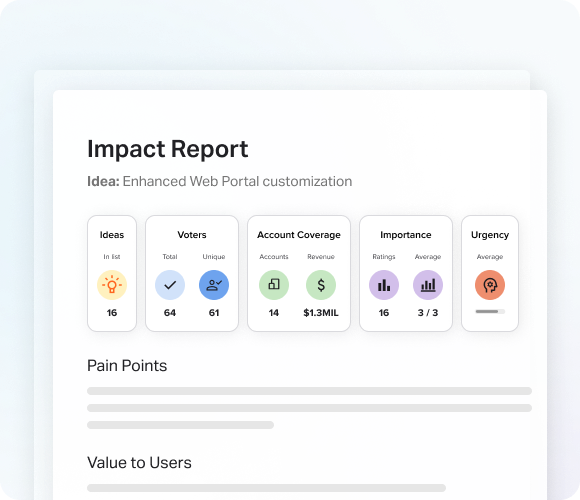
Turn a set of related ideas into a brief that quantifies reach, surfaces pain, and tests assumptions
Pain analysis help you understand the problems customers want solved
Value analysis ensures you're focused on what customers - and the business - want
Assumption testing offers questions to help you challenge confirmation bias
Research questions help you dig deeper into what your customers truly need
Feature announcements provide launch-ready messaging, aligning product and marketing teams and validating what's being delivered

Get an instant readout of each idea - in seconds
Core problem discovery tells you what customers are struggling with so you can get it fast
Solution suggestions show what the customers have asked for
Motivation detection helps you understand why their problem and request matter to them
.png)
At-a-glance views of customer problems that deserve priority attention
Filter and share lets you provide a curated view or list of ideas
Grant edit access so team members can review, sync, and prioritize faster.
Set notifications to easily notify team members of changes
.png)
Stay on top of your feedback program with key feedback signals
Recent Idea Activity helps you decide on next moves with data around new ideas, votes, comments, and feedback
Idea Review prompts you to clean up inactive ideas so its easy to stay on top of what customers want
My Assigned Ideas gives you a clear view of feature requests you own so you can easily act on them
.png)
Ship customer-backed priorities faster
Jira Connect creates new issues in Jira that link back to feedback - so your team has access to customer problems they are solving for
Azure DevOps creates new work items and backlinks to UserVoice ideas, so your product and engineering teams collaborate based on customer needs


.svg)
.svg)
.svg)

.svg)

.svg)
.svg)

Get clear on what matters.
Turn scattered user data into meaningful customer intelligence, guiding smarter decisions and creating a better product.
Talk to an Expert Today


